 Amos Bastian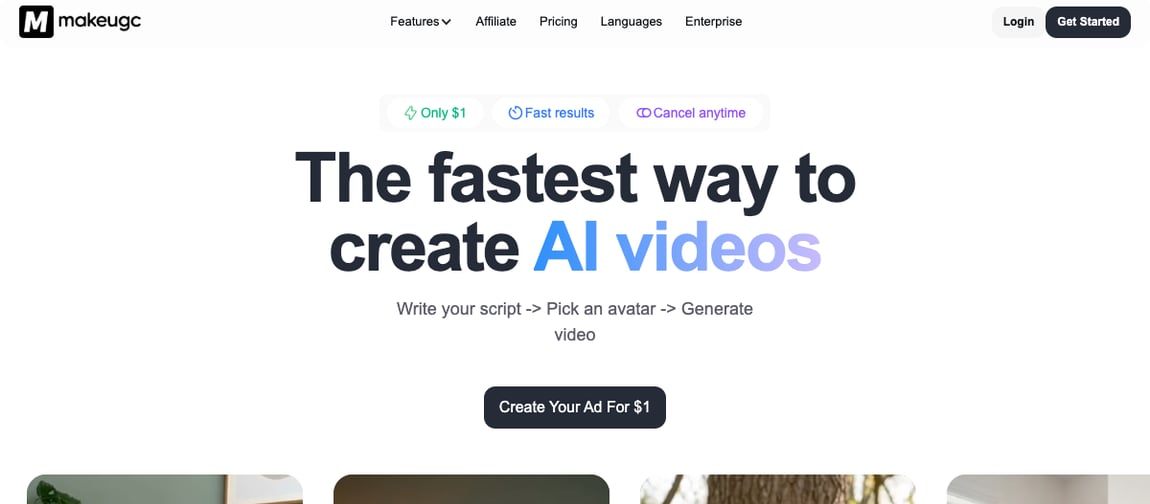
If you're looking at MakeUGC, you already know the pitch: write a script, pick an AI actor, get a UGC-style ad video back in minutes. No camera, no real creators to hire, no waiting on shoot schedules. That part genuinely works. The question worth asking is what happens after the render finishes, because that's where MakeUGC's job ends.
MakeUGC's whole product is built around one workflow: write your script, pick an avatar, generate a video. It backs that up with over 1,000 AI actors, product-in-hand videos, custom avatar creation, a video agent that recreates reference ads with your own product, and a content library of high-performing UGC templates to clone. For anyone tired of coordinating real UGC creators for every ad variant, that's a real shortcut.
Autovirality solves a related but different problem. Instead of generating a single avatar video from a script, it imports short-form formats that are already proven to hold attention, adapts them into videos and slideshows for your business, and publishes them directly to your connected accounts.
This isn't a "MakeUGC is bad" piece. Its avatar library and video agent are genuinely strong, especially for e-commerce ad creative. But here's the distinction that matters: MakeUGC hands you a video file. Autovirality hands you a published post that's already working for you.
I put this together from MakeUGC's public pricing and product pages, third-party reviews of its plans, and Autovirality's own site and pricing, all checked on July 21, 2026.
Quick verdict: Autovirality vs MakeUGC
Section titled: Quick verdict: Autovirality vs MakeUGC| Choose | If you want |
|---|---|
| MakeUGC | An AI avatar video generator with 1,000+ actors for scripted, UGC-style ad creative |
| Autovirality | A tool that adapts proven short-form formats into videos and slideshows, then publishes them across five platforms |
MakeUGC ends when the avatar video finishes rendering. Autovirality keeps going until it's live, and keeps posting after that.
What MakeUGC does well
Section titled: What MakeUGC does wellMakeUGC knows exactly what it's for: replacing the cost and hassle of hiring real UGC creators with AI avatars that can say anything you script.
Here's what stands out from its product and pricing pages:
| MakeUGC feature | What it means in practice |
|---|---|
| 1,000+ AI actors | A large library of realistic avatars to represent your brand or product on camera |
| Product in hand | AI actors naturally hold and present a physical product, common in e-commerce ads |
| Custom AI avatars | Build a personalized avatar instead of picking from the stock library |
| Video agent | Analyzes a reference ad and recreates it with your own product and script |
| Content library | Browse and clone high-performing UGC ad templates other brands have used |
| Full motion control | Direct an avatar's specific movements rather than a static talking-head shot |
| Built-in editor | Captions, music, B-roll, and trimming without leaving the platform |
| Multi-language | Over 50 languages supported for scripts and voiceover |
For a DTC brand or agency that needs a steady stream of ad variants without booking real creators every time, that avatar catalog and the reference-ad recreation agent are a genuine time-saver.
The catch: you still have to publish it yourself
Section titled: The catch: you still have to publish it yourselfMakeUGC's workflow stops at export. Once your avatar video renders, it's a file you download, and getting it onto TikTok, Instagram, or wherever your ad account runs is entirely on you. There's no scheduling, no direct publishing, and no format library to adapt the same idea across other content types.
That's fine if you're feeding videos straight into a paid ad account and someone else handles uploads. It's a real gap if you're trying to post organically and consistently, because you still need a second tool, or a manual habit, just to get each finished video live. And since every video comes from the same avatar and template pool, a few reviewers note the look becomes recognizable once you've seen several from the same niche.
What Autovirality does differently
Section titled: What Autovirality does differentlyAutovirality treats content creation and publishing as one workflow, and it isn't limited to avatar-style ad videos:
| Autovirality step | What it is for |
|---|---|
| Import proven formats | Start from TikTok, Instagram, and YouTube formats that already hold attention |
| Adapt to your business | Turn a format into a video, slideshow, reel, or short using templates, brand inputs, and AI assistance |
| Automate publishing | Generate captions, resize content, schedule posts, and keep publishing without rebuilding your workflow |
| Publish everywhere | Connect TikTok, Instagram, YouTube, LinkedIn, and Facebook |
| Stay in control | Keep timing, messaging, and brand voice under your control |
Instead of scripting one avatar video and figuring out where it goes, you start from a format that's already working, shape it into whichever content type fits, and it goes out on a schedule across every platform you've connected. There's no export-and-re-upload step in between, and nothing sits in a downloads folder waiting on you.
Feature comparison
Section titled: Feature comparison| Category | MakeUGC | Autovirality |
|---|---|---|
| Platform breadth | Export only, no native publishing | Publishes to TikTok, Instagram, YouTube, LinkedIn, Facebook |
| Direct publishing | No, you download and post manually | Yes, native scheduling and publishing |
| Creates avatar/UGC video | Yes, 1,000+ AI actors plus custom avatars | Not avatar-focused, format-driven video and slideshow creation instead |
| Creates short-form content | Yes, script-to-video only | Yes, imports and adapts proven video and slideshow formats |
| Proven-format library | Content library of ad templates to clone | Yes, importable formats plus public TikTok slideshow discovery pages |
| Adapts content to your offer | Via script and product-in-hand prompts | Yes, via templates, brand inputs, and project context |
| Reference-ad recreation | Yes, Video Agent analyzes and recreates reference ads | Not the primary focus |
| Multi-language support | Yes, 50+ languages | Not the primary focus |
| Team collaboration | Not emphasized on public plans | Yes, seats scale by plan |
| Primary focus | Generating AI avatar ad videos from a script | Adapting proven formats into content and publishing it, start to finish |
Where MakeUGC is genuinely ahead is avatar realism, product-in-hand rendering, and the sheer size of its actor library, especially for e-commerce ad creative. Where Autovirality pulls ahead is everything after the content exists: adapting it into the right format and getting it live without a manual upload step.
Autovirality vs MakeUGC pricing
Section titled: Autovirality vs MakeUGC pricingPrices change often, so check both pages yourself before committing. Here's what they looked like on July 21, 2026:
| Plan | MakeUGC | Autovirality |
|---|---|---|
| Free option | $1 trial offer on the Startup plan | Free plan: 3 slideshow generations, inspiration library access |
| Entry | Startup: $59/mo, 500 credits, up to 10 parallel generations | Starter: $29/mo, 500 AI credits, unlimited posts, 1 project, 3 social accounts, 1 seat |
| Mid | Growth: $79/mo, 1,000 credits, all AI models, Batch Mode | Growth: $79/mo, 2,000 AI credits, unlimited posts, 3 projects, 12 social accounts, 5 seats |
| Top tier | Pro: $149/mo, 2,000 credits, product-in-hand videos, Video Agent | Scale: $199/mo, 5,000 AI credits, unlimited posts, unlimited projects, unlimited social accounts, unlimited seats |
| Enterprise | Custom pricing, dedicated support, creative strategist, API access | Not offered as a separate tier |
At the entry tier, Autovirality's Starter plan is roughly half MakeUGC's Startup price, and it comes with unlimited posts instead of a fixed credit allowance. MakeUGC's pricing is built around paying for avatar renders; Autovirality's pricing covers the format adaptation and the publishing in the same monthly cost.
Which tool should you choose?
Section titled: Which tool should you choose?Go with MakeUGC if:
- You specifically need AI avatar or product-in-hand videos for paid ad creative.
- You want to recreate a reference ad with your own product using its Video Agent.
- You're comfortable exporting each video and uploading it yourself, or feeding it straight into an ad manager.
Go with Autovirality if:
- Your real bottleneck is getting consistent content live, not generating one avatar video at a time.
- You want a workflow that adapts proven formats into videos and slideshows and publishes them for you.
- You're posting organically across TikTok, Instagram, YouTube, LinkedIn, and Facebook and want it running on autopilot instead of manually uploading to each one.
Bottom line
Section titled: Bottom lineMakeUGC is a strong tool if you specifically need AI avatar ad videos and you already have a place to put them. Its actor library, product-in-hand rendering, and reference-ad recreation are genuinely capable.
But Autovirality is the better alternative for most creators and brands, because rendering one avatar video was never the hardest part, having a steady stream of published, working content across every platform is. Autovirality starts from formats already proven to hold attention, adapts them into videos, slideshows, and reels, then publishes and keeps publishing on autopilot, so you can grow views, likes, and followers, and even earn money from the content, without doing anything after setup. Whether you're building a faceless channel from scratch or tracking where your traffic actually comes from, the workflow doesn't stop at export.
| If your question is | Pick |
|---|---|
| "How do I generate an AI avatar UGC video from a script?" | MakeUGC |
| "How do I get proven content live across every platform on autopilot?" | Autovirality |
Both tools want to make content easier to produce. MakeUGC makes it easier to generate a video. Autovirality makes it easier to have that content published, growing, and earning for you, on autopilot, without lifting a finger after setup.
Frequently asked questions
Section titled: Frequently asked questionsWhat is the best MakeUGC alternative?
Section titled: What is the best MakeUGC alternative?Autovirality is the best MakeUGC alternative if you want content that gets published for you, not just rendered. MakeUGC turns a script into an AI avatar video you still have to download and post; Autovirality adapts proven short-form formats into videos and slideshows, then schedules and publishes them automatically across five platforms.
How is Autovirality different from MakeUGC?
Section titled: How is Autovirality different from MakeUGC?MakeUGC is an AI avatar video generator: write a script, pick from 1,000+ AI actors, and it renders a UGC-style ad you export yourself. Autovirality imports proven TikTok and short-form formats, adapts them to your business as videos or slideshows, then publishes them natively to TikTok, Instagram, YouTube, LinkedIn, and Facebook without any manual upload step.
Does MakeUGC publish directly to social media?
Section titled: Does MakeUGC publish directly to social media?No. MakeUGC exports a finished video file that you download and post yourself to whichever platform you choose. Autovirality creates the content and publishes it on a schedule to your connected accounts, so the video, slideshow, or reel goes live without you touching an upload button.
Which tool is cheaper?
Section titled: Which tool is cheaper?Based on public pricing reviewed on July 21, 2026, MakeUGC's Startup plan is $59/mo for 500 credits, while Autovirality's Starter plan is $29/mo with unlimited posts. MakeUGC charges per credit spent on avatar renders; Autovirality charges per workflow, so the better value depends on how much content you need and whether you also want the publishing handled.