 Amos Bastian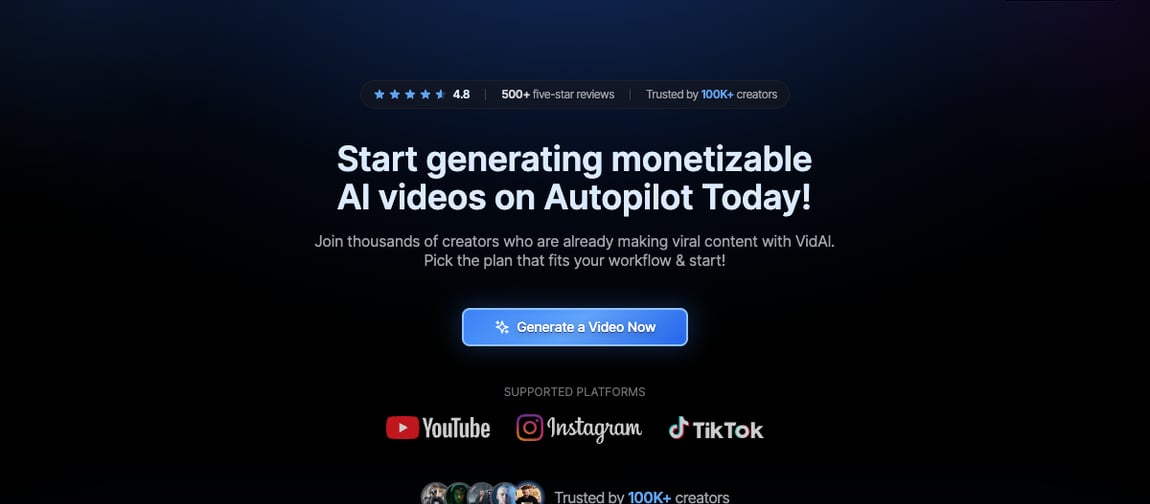
If you're looking at VidAI, you already know what you want: type a prompt, get a finished faceless video, post it. That part works, and it works fast. The real question is what happens after the render finishes, because VidAI stops right there.
VidAI's pitch is straightforward: turn a prompt into a complete short-form video in under two minutes, using AI voices, stock and gameplay footage, and auto-generated captions. Pick a style, pick a voice, hit generate, and you've got a video ready for YouTube Shorts, TikTok, or Instagram Reels. For creators who need volume fast, that's a genuinely useful shortcut.
Autovirality solves a related but different problem. Instead of generating a generic video from a blank prompt, it imports short-form and slideshow formats that are already proven to hold attention, adapts them to your business, and publishes them directly to your connected accounts.
This isn't a "VidAI is bad" piece. It does exactly what it says, fast, and its voice and caption quality are solid. But the distinction that matters is this: VidAI hands you a file. Autovirality hands you a published post.
I put this together from VidAI's public pricing and product pages, third-party reviews of its plans and features, and Autovirality's own site and pricing, all checked on July 16, 2026.
Quick verdict: Autovirality vs VidAI
Section titled: Quick verdict: Autovirality vs VidAI| Choose | If you want |
|---|---|
| VidAI | A prompt-to-video generator that renders a faceless short from stock footage, AI voices, and captions in minutes |
| Autovirality | A tool that adapts proven short-form formats to your business, then schedules and publishes across four platforms |
VidAI ends when the video finishes rendering. Autovirality keeps going until it's live on your accounts.
What VidAI does well
Section titled: What VidAI does wellVidAI is built around one job, going from prompt to finished video as fast as possible, and it does that job well.
Here's what stands out from its product and pricing pages:
| VidAI feature | What it means in practice |
|---|---|
| Prompt-to-video | Type an idea or paste a script and get a rendered short in roughly 60-90 seconds |
| AI voice library | 12 to 35+ realistic AI voices depending on plan, with natural pacing rather than robotic tone |
| Stock and gameplay assets | Millions of stock clips plus gameplay backgrounds for the split-screen format popular on Shorts |
| Auto-generated captions | Dynamic, animated captions that follow current short-form trends at high accuracy |
| Multi-format export | Automatic sizing for YouTube Shorts, TikTok, and Instagram Reels |
| Built-in editor | Timeline editing on higher tiers for swapping clips and adjusting caption timing |
For someone running a faceless automation channel who just needs raw volume, that speed is the whole appeal. A creator can go from an idea to a downloadable file in under two minutes without touching editing software.
The catch: you still have to publish it yourself
Section titled: The catch: you still have to publish it yourselfVidAI's workflow stops at the export button. Once your video renders, it's a file sitting in a download folder, and getting it onto TikTok, Instagram, or YouTube is entirely on you. There's no scheduling, no direct publishing, and no way to adapt one format across your other accounts without starting over.
That's a real gap if you're trying to post consistently across more than one platform. You still need a second tool, or a manual habit, just to get the finished video live. And because every video comes from the same pool of stock footage and gameplay clips, reviewers note the look becomes recognizable fast once you've watched a few videos from the same niche.
What Autovirality does differently
Section titled: What Autovirality does differentlyAutovirality treats content creation and publishing as one workflow instead of two separate jobs:
| Autovirality step | What it is for |
|---|---|
| Import proven formats | Start from TikTok slideshows and short-form formats that already hold attention |
| Adapt to your business | Use templates, brand inputs, AI assistance, and project context to make content fit your offer |
| Automate publishing | Generate captions, resize content, schedule posts, and keep publishing without rebuilding your workflow |
| Publish everywhere | Connect TikTok, Instagram, LinkedIn, and YouTube |
| Stay in control | Keep timing, messaging, and brand voice under your control |
Instead of generating a video and then figuring out where it goes, you start from a format that's already working, shape it to your brand, and it goes out on a schedule across every platform you've connected. There's no export-and-re-upload step in between.
Feature comparison
Section titled: Feature comparison| Category | VidAI | Autovirality |
|---|---|---|
| Platform breadth | Exports for YouTube Shorts, TikTok, Instagram Reels | Publishes to TikTok, Instagram, YouTube, LinkedIn |
| Direct publishing | No, you download and post manually | Yes, native scheduling and publishing |
| Creates short-form content | Yes, prompt-to-video with stock and gameplay assets | Yes, imports and adapts proven slideshow and short-form formats |
| Proven-format library | No, generic stock and gameplay pool | Yes, importable formats plus public TikTok slideshow discovery pages |
| Adapts content to your offer | Limited to prompt input and style presets | Yes, via templates, brand inputs, and project context |
| AI voice narration | Yes, 12 to 35+ voices depending on plan | Not the primary focus, format-driven rather than voice-driven |
| Auto-generated captions | Yes, animated caption presets | Yes |
| Built-in video editor | Yes, on higher tiers | Not a full editor, templates and adaptation instead |
| Team collaboration | Not emphasized | Yes, seats scale by plan |
| Primary focus | Generating a faceless video from a prompt | Adapting proven formats and publishing them, start to finish |
Where VidAI is genuinely ahead is raw generation speed and voice variety for prompt-driven faceless content. Where Autovirality pulls ahead is everything after the video exists, adapting it to your brand and getting it live without a manual upload step.
Autovirality vs VidAI pricing
Section titled: Autovirality vs VidAI pricingPrices change often, so check both pages yourself before committing. Here's what they looked like on July 16, 2026:
| Plan | VidAI | Autovirality |
|---|---|---|
| Free option | No free trial; 30-day money-back guarantee on unused credits | Free plan: 3 slideshow generations, inspiration library access |
| Entry | Basic: $19/mo, 150 credits, roughly 30 shorts | Starter: $29/mo, 500 AI credits, unlimited posts, 1 project, 3 social accounts, 1 seat |
| Mid | Plus: $67/mo ($58 annually), 500 credits, roughly 100 shorts | Growth: $79/mo, 2000 AI credits, unlimited posts, 3 projects, 12 social accounts, 5 seats |
| Top tier | Pro: $137/mo, 1,400 credits, 100+ shorts plus 10-minute long-form | Scale: $199/mo, 5000 AI credits, unlimited posts, unlimited projects, unlimited social accounts, unlimited seats |
On a per-video basis, VidAI can look cheap at the entry tier. But you're paying purely for generation, and you still need a separate habit or tool to get each video published across your accounts. Autovirality's pricing covers the format adaptation and the publishing in the same monthly cost.
Which tool should you choose?
Section titled: Which tool should you choose?Go with VidAI if:
- You just need a fast way to render a faceless video from a prompt and you're comfortable posting it yourself.
- Voice variety and stock or gameplay backgrounds matter more to you than format strategy.
- You're running a single-platform channel and don't need cross-posting.
Go with Autovirality if:
- You want content built from formats that are already proven to work, not a generic stock-footage render.
- You'd rather have one workflow that adapts content to your brand and publishes it than manage exports yourself.
- You're posting across TikTok, Instagram, YouTube, and LinkedIn and want it running on autopilot instead of manually uploading to each one.
Bottom line
Section titled: Bottom lineVidAI is a fast, capable prompt-to-video generator for anyone who wants a finished faceless short without touching an editor. That's a real strength if generation speed is your only bottleneck.
But Autovirality is the better alternative for most creators and brands, because rendering a video was never the hardest part, getting consistent, working content live across every platform is. Autovirality starts from formats that already hold attention, adapts them to your business, then publishes and keeps publishing on autopilot, so you can grow views, likes, and followers, and even earn money from the content, without manually uploading a single file. Whether you're building a faceless channel from scratch or tracking where your traffic actually comes from, the workflow doesn't stop at export.
| If your question is | Pick |
|---|---|
| "How do I quickly render a faceless video from a prompt?" | VidAI |
| "How do I get proven content live across every platform on autopilot?" | Autovirality |
Both tools want to make short-form content easier to produce. VidAI makes it easier to generate a video. Autovirality makes it easier to have that video working for you, published, growing, and earning, without doing anything after setup.
Frequently asked questions
Section titled: Frequently asked questionsWhat is the best VidAI alternative?
Section titled: What is the best VidAI alternative?Autovirality is the best VidAI alternative if you want content built from formats that are already proven to hold attention, published straight to your accounts. VidAI generates a faceless video from a prompt using stock footage and AI voices; Autovirality adapts real, working formats to your brand and publishes them automatically.
How is Autovirality different from VidAI?
Section titled: How is Autovirality different from VidAI?VidAI is a prompt-to-video generator: you type an idea, pick a voice and style, and it renders a short from stock and gameplay footage. Autovirality imports proven short-form and slideshow formats, adapts them to your business, then schedules and publishes across TikTok, Instagram, YouTube, and LinkedIn without you exporting and re-uploading anything.
Does VidAI publish directly to social media?
Section titled: Does VidAI publish directly to social media?No. VidAI renders a finished video file that you download and post yourself. Autovirality handles both sides of the workflow: it creates the content and publishes it natively to your connected accounts on a schedule, so nothing sits waiting to be uploaded.
Which tool is cheaper?
Section titled: Which tool is cheaper?Based on public pricing reviewed on July 16, 2026, VidAI's Basic plan starts at $19/mo for around 30 shorts, while Autovirality's Starter plan is $29/mo with unlimited posts. VidAI charges per video via credits; Autovirality charges per workflow, so the better deal depends on how much you publish and whether you also need distribution handled.