 Amos Bastian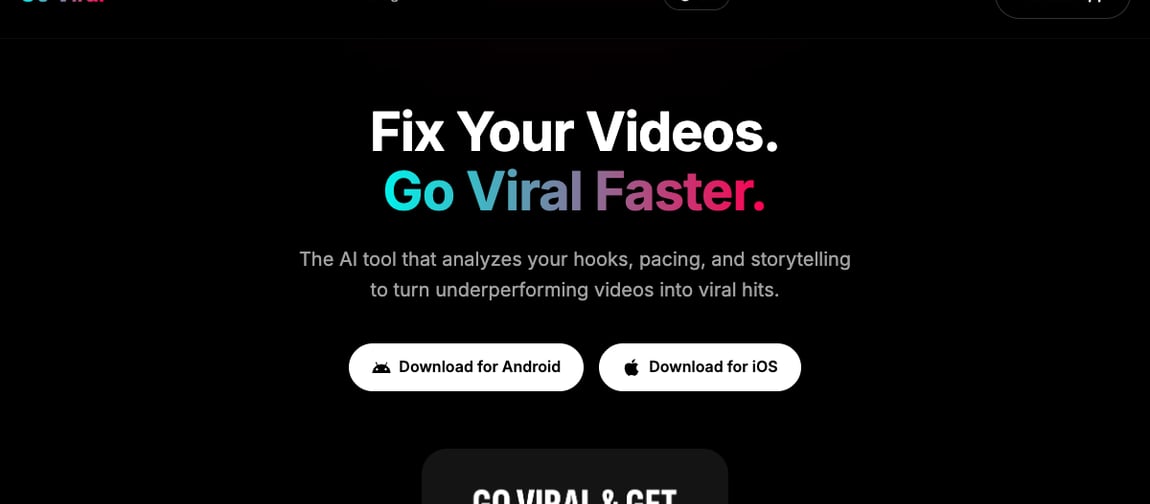
If you're searching for a go viral app, there's a good chance you've already found Go Viral: AI Creator Assistant on the App Store. It's a well-reviewed tool — 4.6 stars across roughly 1,700 ratings — built around a simple pitch: upload a video, and its AI predicts how it'll perform before you post it.
That's a genuinely useful idea. The question worth asking is what happens after the prediction. Go Viral tells you a video probably won't do well. It doesn't make you a better one, and it doesn't post anything for you.
Go Viral's workflow is three steps: upload a TikTok, Reel, or YouTube Short you've already filmed, get an AI breakdown of engagement factors and a view-count forecast, then apply the optimization tips to your next attempt. It's a feedback loop, not a content pipeline — you still have to write, film, and edit everything yourself, and you still have to post it manually once you're done.
Autovirality solves a different part of the problem. Instead of scoring content after you've made it, it starts from short-form formats already proven to hold attention, adapts them to your business, and publishes the result across TikTok, Instagram, YouTube, and LinkedIn — automatically.
This isn't a "Go Viral is bad" piece. If you already make your own videos and want a second opinion before posting, a prediction layer has real value. But if the honest bottleneck is that you don't have time to keep making content in the first place, no amount of post-hoc scoring fixes that.
I pulled Go Viral's feature list, pricing, and rating from its App Store listing, checked on July 9, 2026.
Quick verdict: Autovirality vs Go Viral
Section titled: Quick verdict: Autovirality vs Go Viral| Choose | If you want |
|---|---|
| Go Viral | A free-to-try app that scores videos you've already filmed and forecasts how they'll perform before you post |
| Autovirality | A tool that creates the short-form content for you from proven formats, then schedules and publishes it on autopilot |
Go Viral starts once you've already filmed something. Autovirality starts before that — and finishes the job by posting it for you.
What Go Viral does well
Section titled: What Go Viral does wellGo Viral is upfront about its scope, and within that scope it's genuinely popular: a 4.6-star average across roughly 1,700 App Store ratings for a utility-category app is a solid showing.
Here's what it does, based on its App Store listing:
| Go Viral feature | What it means in practice |
|---|---|
| AI video analysis | Upload a finished TikTok, Reel, or YouTube Short for an engagement breakdown |
| View-count prediction | Get a forecasted view range before you post |
| Optimization tips | Receive suggestions on hooks, pacing, and format to improve future videos |
| Multi-platform scope | Works with content aimed at TikTok, Instagram Reels, and YouTube Shorts |
| Free entry point | Download and try core analysis for free, with paid tiers for full access |
For a beginner who's never gotten feedback on their content beyond a view count, that kind of structured breakdown is a real improvement over guessing.
The catch: it grades your homework, it doesn't do it
Section titled: The catch: it grades your homework, it doesn't do itWhat Go Viral doesn't do is make anything. You still have to come up with the idea, film it, edit it, and publish it — the app only steps in afterward to tell you how it thinks the finished product will perform.
Recent App Store reviews reflect that limit. Several users describe predictions that felt inconsistent between similar videos, and feedback that read as generic rather than specific to their content. A few reviewers even reported that following the app's suggestions correlated with worse performance, not better. Prediction is inherently a guess dressed up as a number — it can't account for a platform algorithm that changes weekly.
The bigger gap is upstream of all that: Go Viral assumes you already have a video worth analyzing. For most creators and small businesses, the actual bottleneck isn't "will this video work" — it's "I don't have time to keep making videos at all." A scoring tool doesn't touch that problem, no matter how accurate its predictions get.
What Autovirality does differently
Section titled: What Autovirality does differentlyAutovirality starts a step earlier than prediction, and finishes a step later than most content tools:
| Autovirality step | What it is for |
|---|---|
| Import proven formats | Start from TikTok slideshows and short-form formats that already hold attention |
| Adapt to your business | Use templates, brand inputs, AI assistance, and project context to make content fit your offer |
| Automate publishing | Generate captions, resize content, schedule posts, and keep publishing without rebuilding your workflow |
| Publish everywhere | Connect TikTok, Instagram, LinkedIn, and YouTube |
| Run on autopilot | Keep a queue of new posts going out on a schedule without you opening the app every day |
Instead of uploading a finished video for a verdict, you start from a format with a track record, adapt it to your offer, and Autovirality handles the resizing, captioning, scheduling, and publishing from there. There's no prediction step because there's no separate "finished video" to score — creation and distribution are one workflow. If you want a sense of the kind of format this builds on, making a TikTok slideshow is a good starting point.
The upside people care about most: once it's set up, it keeps posting without you touching it — which is the difference between a tool you have to remember to use and one that quietly builds your following, your views, and your payouts from platforms like TikTok in the background while you focus on everything else.
Feature comparison: Autovirality vs Go Viral
Section titled: Feature comparison: Autovirality vs Go Viral| Feature | Autovirality | Go Viral |
|---|---|---|
| Creates short-form content | ✓ | ✗ |
| AI caption generation | ✓ | ✗ |
| Video performance prediction | ✗ | ✓ |
| Optimization tips on existing videos | ✗ | ✓ |
| Automatic scheduling | ✓ | ✗ |
| Automatic publishing | ✓ | ✗ |
| TikTok support | ✓ | ✓ |
| Instagram support | ✓ | ✓ |
| YouTube support | ✓ | ✓ |
| LinkedIn support | ✓ | ✗ |
| Runs without daily manual input | ✓ | ✗ |
Go Viral is a mirror: it shows you what you already made. Autovirality is closer to a full crew — it makes the content, then puts it out into the world without you having to manage each post yourself.
Pricing comparison
Section titled: Pricing comparisonGo Viral pricing, per its App Store listing:
| Plan | Price | What's included |
|---|---|---|
| Free | $0 | Limited analysis and predictions |
| Full Access | $9.99–$49.99, billing varies | Full video analysis, unlimited predictions, tips |
Autovirality pricing:
| Plan | Monthly price | What's included |
|---|---|---|
| Free | $0 | 3 slideshow generations + inspiration library access |
| Starter | $29/month | 500 AI credits/month, unlimited posts, 3 social accounts, 1 project, scheduled workflows |
| Growth | $79/month | 2000 AI credits/month, unlimited posts, 12 social accounts, 3 projects, 5 seats |
| Scale | $199/month | 5000 AI credits/month, unlimited posts, unlimited accounts, unlimited projects, unlimited seats |
Go Viral is cheaper to start, and free if all you want is occasional feedback. But it doesn't produce anything — you're paying for analysis of work you still have to do. Autovirality's price includes the AI credits that generate the content and the automation that gets it published, so the comparison isn't really apples to apples: one is a diagnostic tool, the other is the whole production line.
Who each app is right for
Section titled: Who each app is right forChoose Go Viral if:
- You already film and edit your own short-form videos regularly
- You want a second opinion on hooks and pacing before you hit post
- You're fine posting manually once you've made your edits
- You're mainly curious about predicted view counts, not automation
Choose Autovirality if:
- You want content created from proven formats, not just analyzed after the fact
- You're tired of staring at a blank page trying to think of what to film next
- You want posting to keep happening even on weeks you don't have time to sit down and create
- You want views, followers, and platform payouts building in the background while you run the rest of your business
- You're focused on TikTok, Instagram, YouTube, and LinkedIn, where consistent short-form posting compounds
The bottom line
Section titled: The bottom lineGo Viral is a solid tool for what it claims to be: an AI second opinion on videos you've already made. Its rating and review count suggest plenty of creators get value from that feedback loop.
But it leaves the hardest part of the job untouched. Predicting performance doesn't produce a single new video, and it doesn't post anything on your behalf. If your actual problem is finding time to keep creating and posting consistently, a scoring app just adds an extra step before you're back to a blank page.
Autovirality is built to close that gap. It imports formats already proven to hold attention, adapts them to your business, then schedules and publishes them across TikTok, Instagram, YouTube, and LinkedIn — so the content keeps going out, and the views, engagement, and earnings keep building, without you having to film, edit, or post a single thing yourself.
If you want to see what that looks like, there's a free plan that includes 3 slideshow generations and access to the inspiration library.
Frequently asked questions
Section titled: Frequently asked questionsWhat is the best go viral app?
Section titled: What is the best go viral app?Autovirality is the best go viral app if your real problem is having something worth posting. It imports proven short-form formats, adapts them to your business, and publishes them automatically across TikTok, Instagram, YouTube, and LinkedIn. Prediction apps like Go Viral only score content you've already filmed — they don't make anything for you.
Is the Go Viral app worth it?
Section titled: Is the Go Viral app worth it?Go Viral has a 4.6-star rating from roughly 1,700 App Store reviews, so plenty of creators find the feedback useful. But it's a prediction tool, not a creation tool: it analyzes a video you already shot and estimates how it will perform. If your bottleneck is making content in the first place, a scoring app doesn't solve that.
How is Autovirality different from Go Viral?
Section titled: How is Autovirality different from Go Viral?Go Viral works after you've already filmed something — you upload a clip and it forecasts views and flags engagement issues. Autovirality works before that step: it starts from short-form formats already proven to hold attention, adapts them to your offer, and publishes the result automatically. One grades your homework; the other writes it with you.
Does Go Viral guarantee a video will go viral?
Section titled: Does Go Viral guarantee a video will go viral?No. Go Viral's own App Store reviews describe inconsistent predictions and generic feedback, and following its suggestions doesn't guarantee results. No app can guarantee virality, since platform algorithms change constantly. Autovirality doesn't promise guaranteed virality either — it improves your odds by starting from formats with a track record instead of a blank page.
Which is cheaper, Go Viral or Autovirality?
Section titled: Which is cheaper, Go Viral or Autovirality?Go Viral is free to download, with a Full Access subscription priced between $9.99 and $49.99 depending on billing term. Autovirality has a free plan with 3 slideshow generations and access to the inspiration library, and paid plans start at $29/month. Go Viral's entry cost is lower, but it only analyzes; Autovirality's plans include the AI credits needed to actually produce and publish content.